
Long program? One tab per operation.
Split a long G-code program into named operations with (OP: name) lines and jump between them as tabs in NC Proof. Edit in a tab or drag it out to its own window.
A long program is easier to work on one operation at a time. The Operation window splits it into named tabs: facing, roughing, drilling, threading. Click a tab to see just that part of the code.
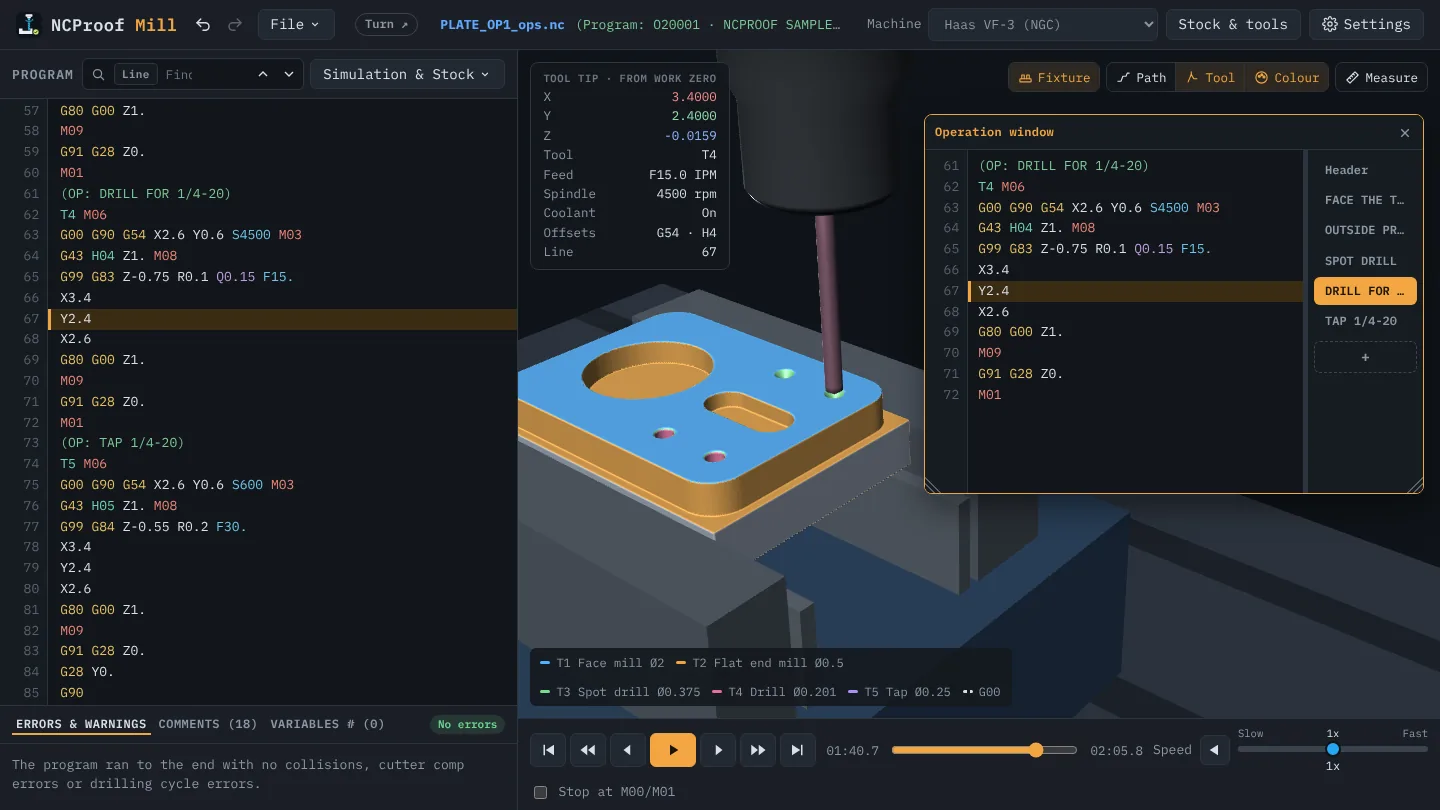
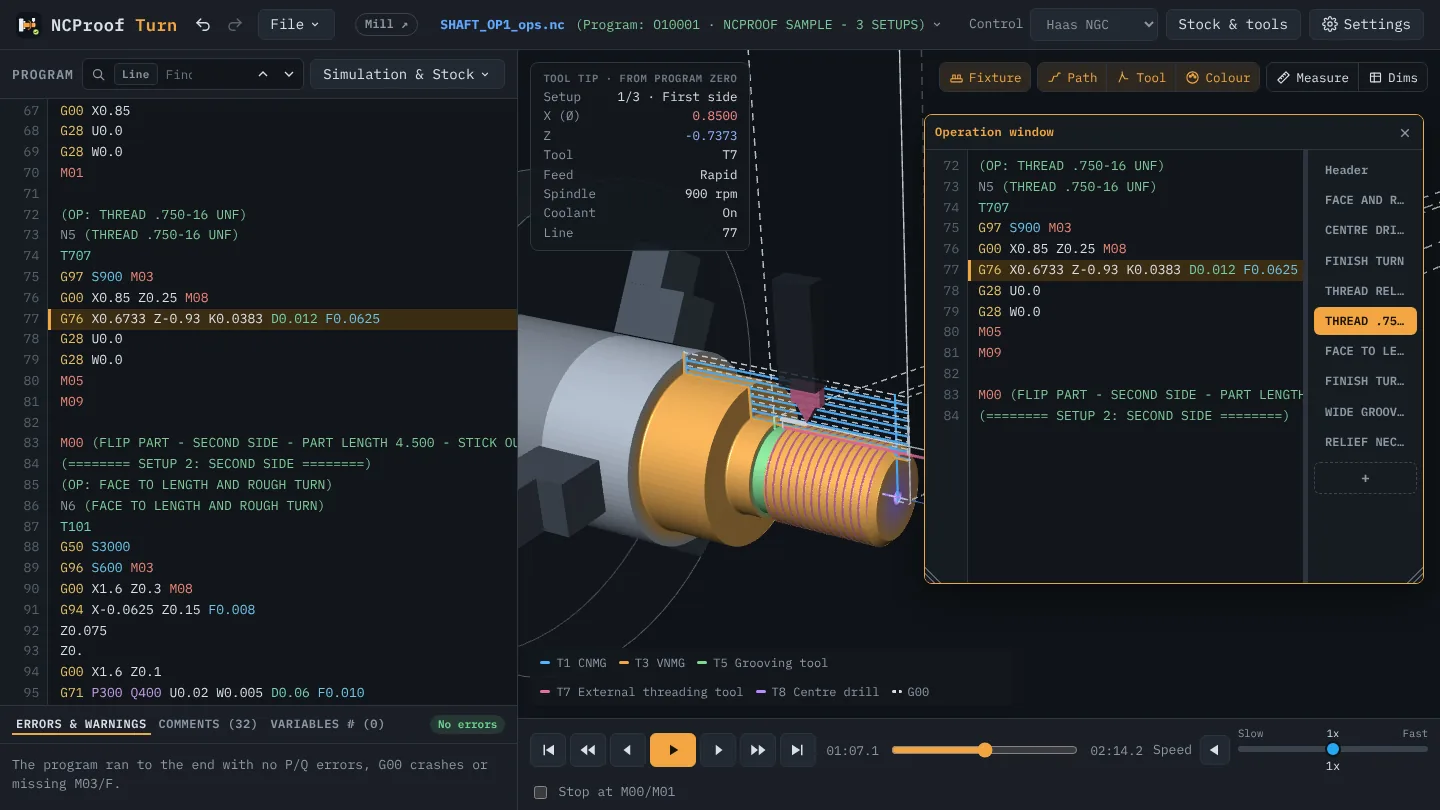
What you get
- One tab per operation. An
(OP: name)comment line starts each one. It is a normal comment, so the machine skips it. - You always know where the tool is. The tab the tool is in is underlined, and a red or yellow dot marks an operation with an error or a warning.
- Edit right in the tab. It changes the one program, so nothing gets out of step.
- Drag a tab out to give that operation a window of its own, next to the 3D view.
- Saved with the program. The
(OP: …)lines live in the .nc file; a .ncp setup file also remembers where the window was.
Watch it
How to use it
- Right-click in the 3D view and choose Show → Operation window.
- Press + to start an operation at the line your cursor is on, or right-click a code line and choose Start operation here. Give it a name.
- Click a tab to jump to it; drag a tab out for its own window.
A full walk-through with a Haas example: Operation window: split a long G-code program into named tabs.