Built to prove a program faster.
The things that make NC Proof Turn and NC Proof Mill quick to work with, one page each. Every picture is the real app.
 01 · Edit & Wireframe
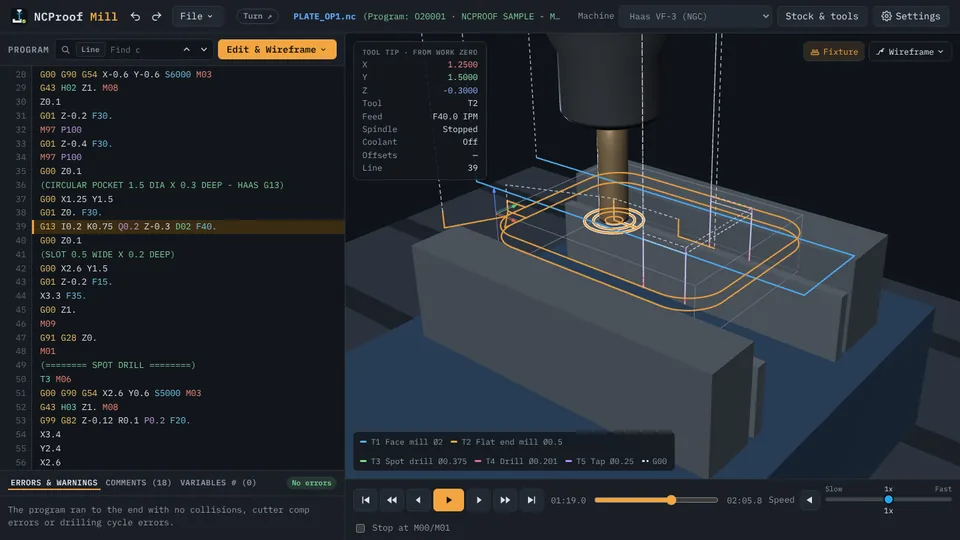
Type the code. See the path.
Change a G-code program right in NC Proof. The toolpath redraws as you type and the tool sits on the line you are editing, in NC Proof Turn and Mill.
 02 · Simulation & Stock
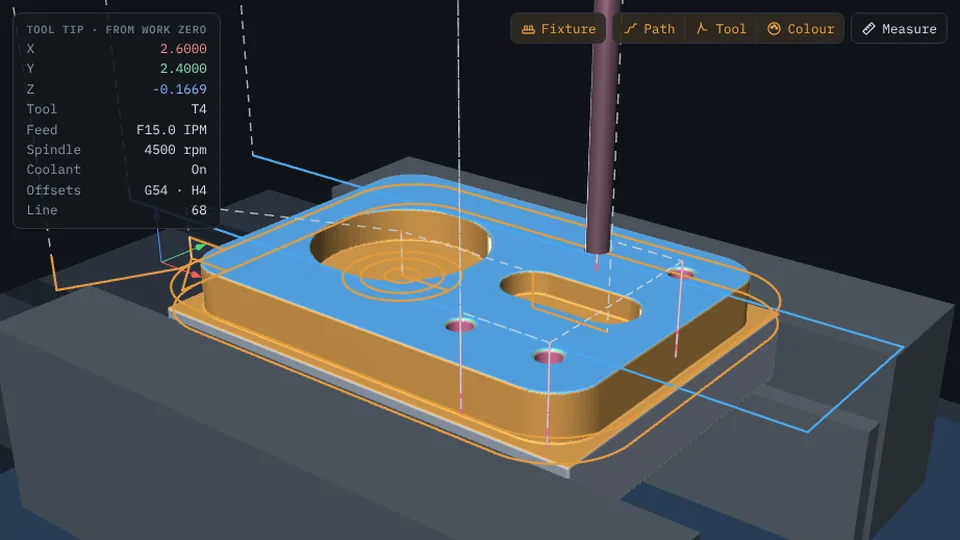
Cut the stock. Check every move.
NC Proof cuts the 3D stock tool by tool and checks every move: rapids into the part, chuck, vise and fixture collisions, cycle and compensation errors, each pointed to its line.
 03 · Operation window
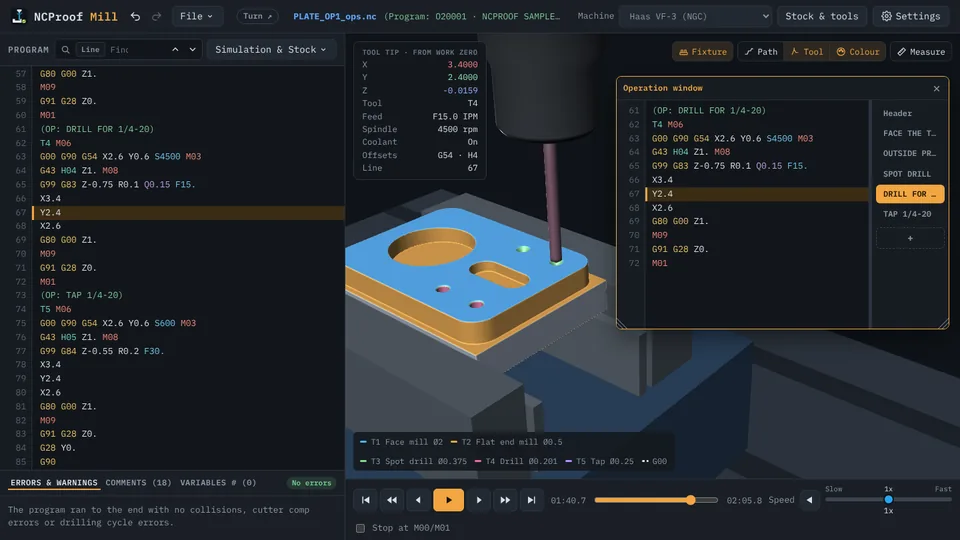
Long program? One tab per operation.
Split a long G-code program into named operations with (OP: name) lines and jump between them as tabs in NC Proof. Edit in a tab or drag it out to its own window.
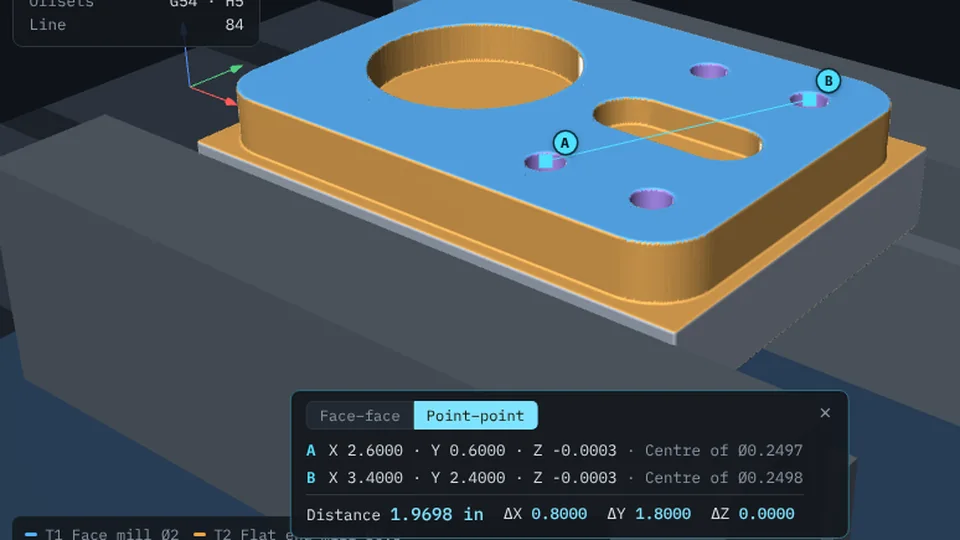 04 · Measure · Point–point
Hole to hole, snapped to centre.
Measure hole spacing on the simulated part in NC Proof. Point–point snaps to the centre of a hole by itself on the mill, and to the centreline on the lathe.
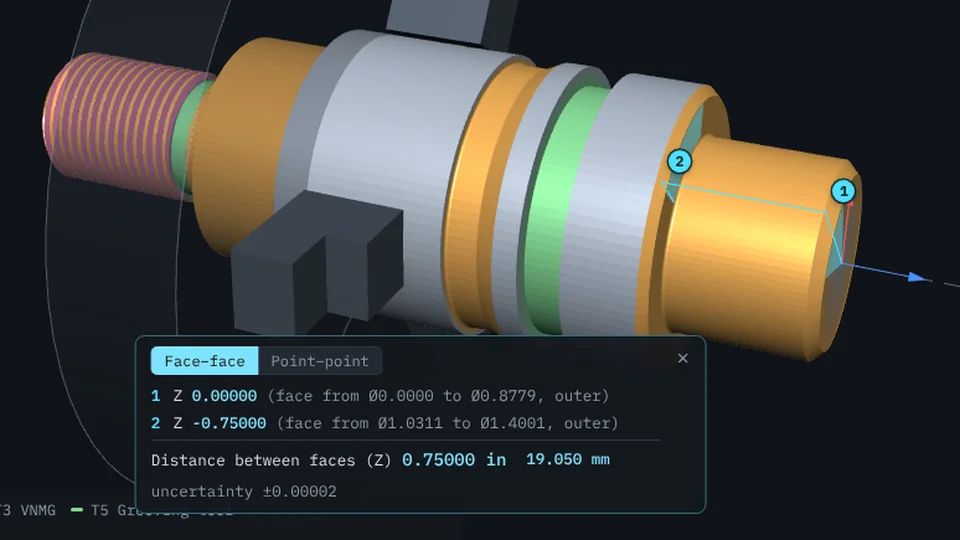 05 · Measure · Face–face
Two faces. One exact distance.
Click two parallel faces on the simulated part in NC Proof and get the exact distance between them: slot depth and width, shoulder lengths, groove walls, end faces.
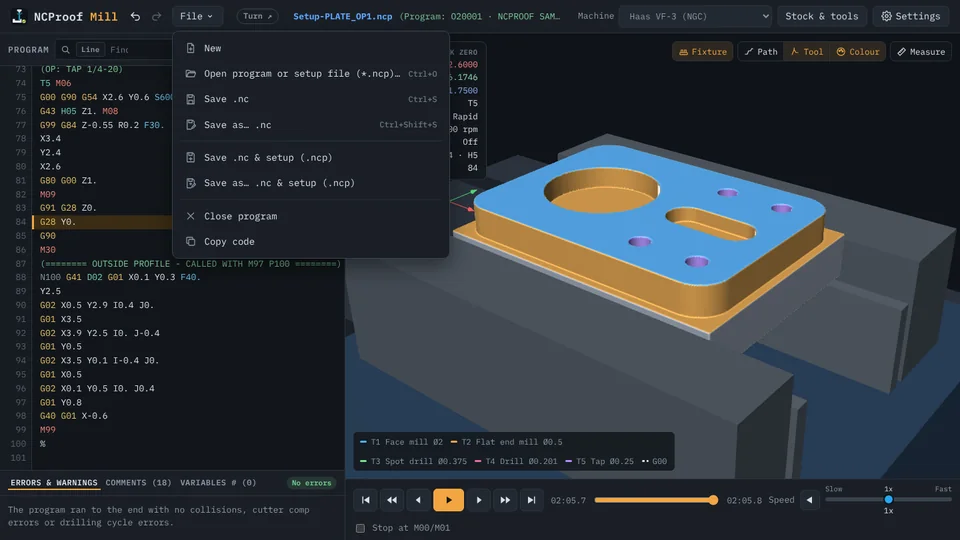 06 · Setup files
Save the setup. Open it ready to run.
Save a G-code program together with its stock, setups, tools, fixture, notes and view in one .ncp file, and open it later in NC Proof exactly as you left it.